Fontra Hive

Fontra for Teams

Sign in to your projects.

New to Fontra? Try the editor in your browser, no account needed.

Fontra Hive adds hosting, history, branches and review to Fontra, for type designers and teams. Start free with one project; Solo is €9 per designer per month excl. VAT, reviewers free (see pricing). Every new account starts with 21 days of Solo, no card asked.

What Hive adds to Fontra

Fontra, ready for a whole team

The full Fontra editor in your browser, nothing to install. Hive adds what a type team needs around it: a memory of every change, room to explore, review where the work is, and one shared home for your fonts.

Version history

Every change is kept

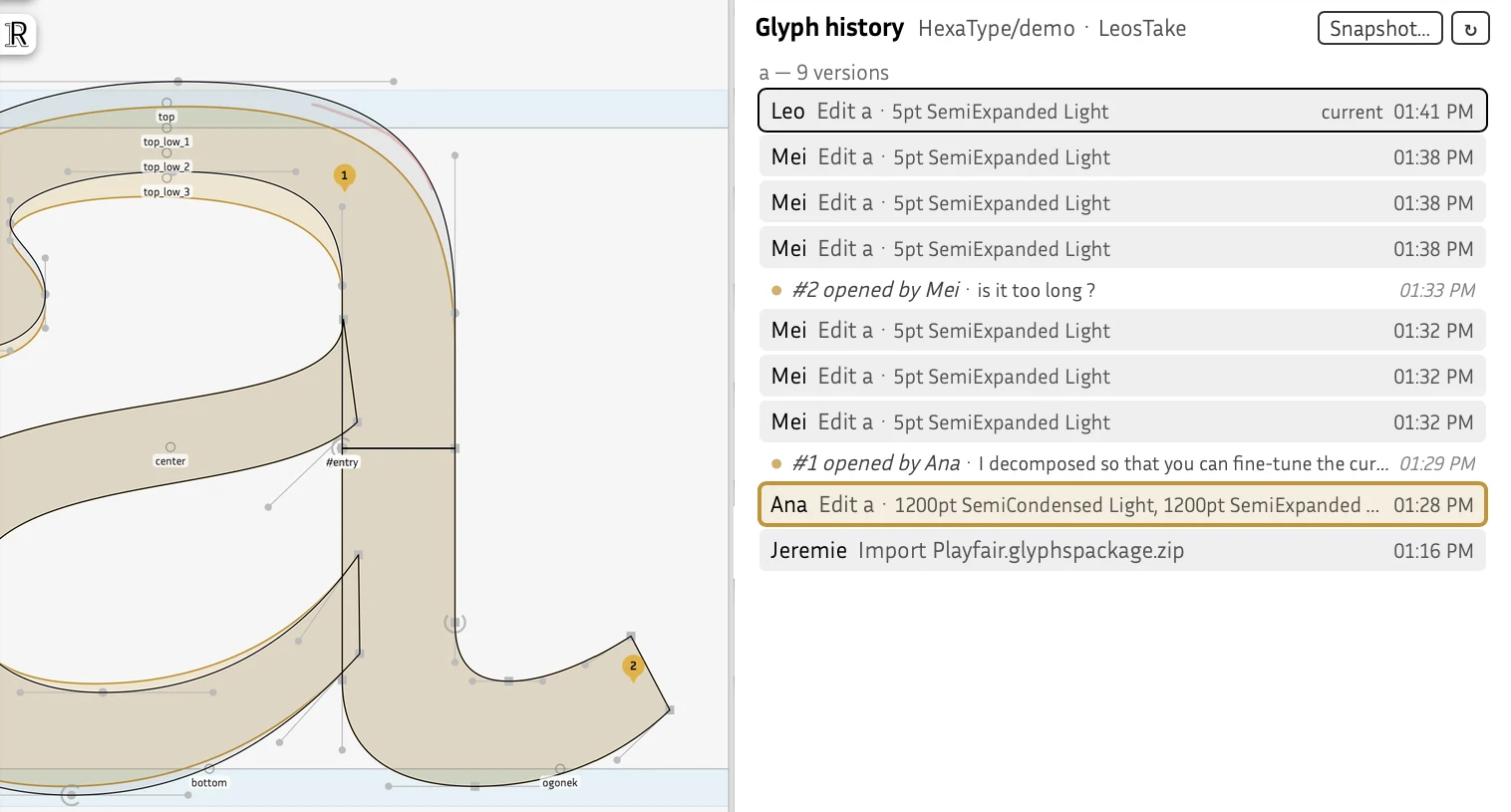
Each edit becomes a version, signed by who made it, with the sources it touched. Open a glyph's history, hover a version to see it drawn over the current outline, click to keep it on the canvas, and restore it in one step.

Why it matters. Experiment without fear: last week's good curve is never lost, and you always know who changed what, and when.

  • Preview on hover
  • One-click restore
  • Whole-font history
The Glyph history panel: versions of a signed by Ana, Mei and Leo, and the version commented in #1 drawn in amber over the current outline

Snapshots

Name the moments that matter

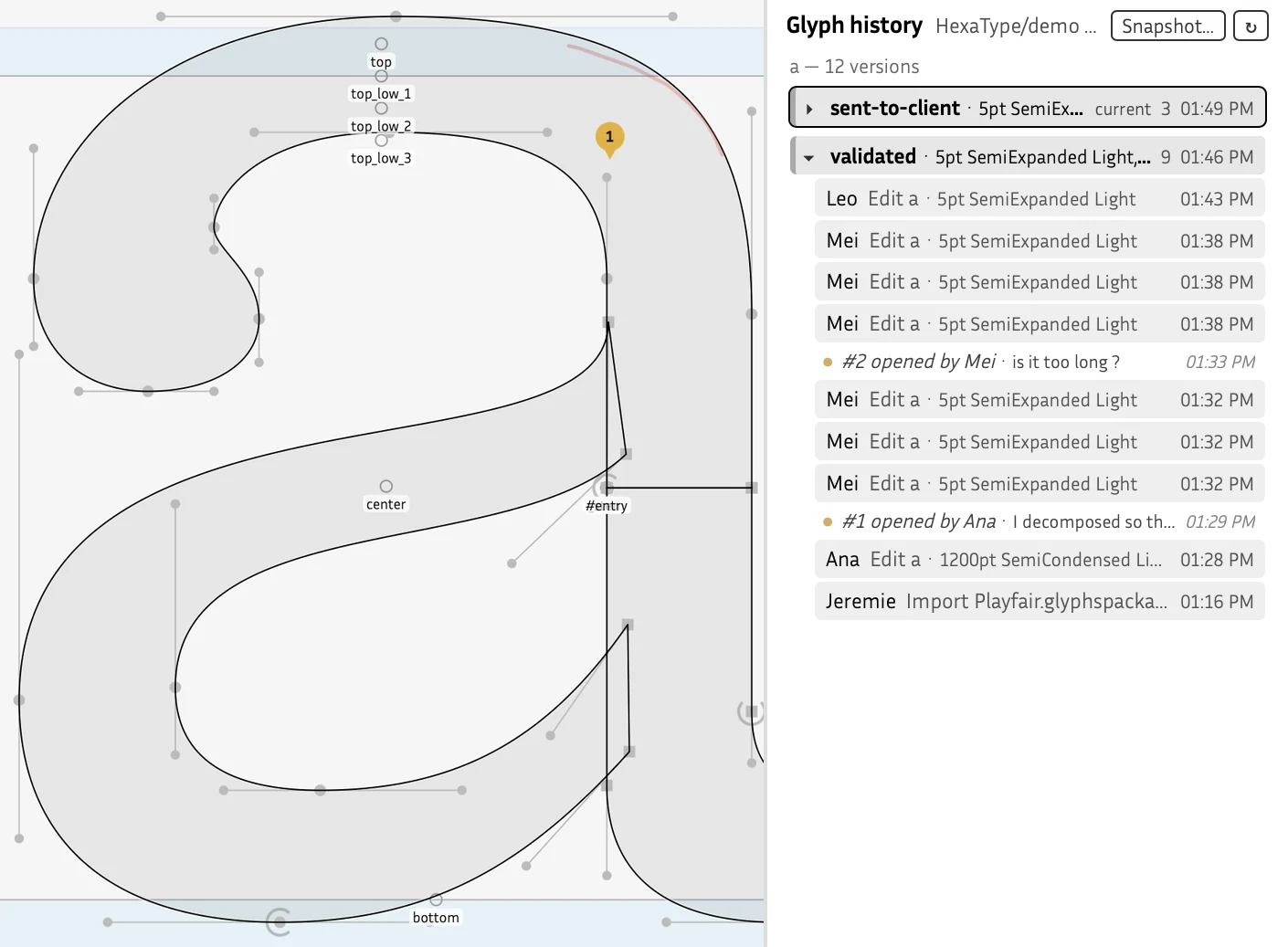
Give a name to the state of the whole font (“Proof for the client”, “v1.0”) or to a single glyph (“Approved by the AD”). The changes made since the previous snapshot are grouped under it, with who made them and the comments resolved in between.

Why it matters. Your history reads like a project diary: find the version you sent, see what changed since, go back to it if needed.

  • Font and glyph snapshots
  • Changes grouped by milestone
  • Nothing ever rewritten
The Glyph history panel with two snapshots, sent-to-client and validated, grouping the versions made between them

Branches & merge

Explore on a branch, merge when it's right

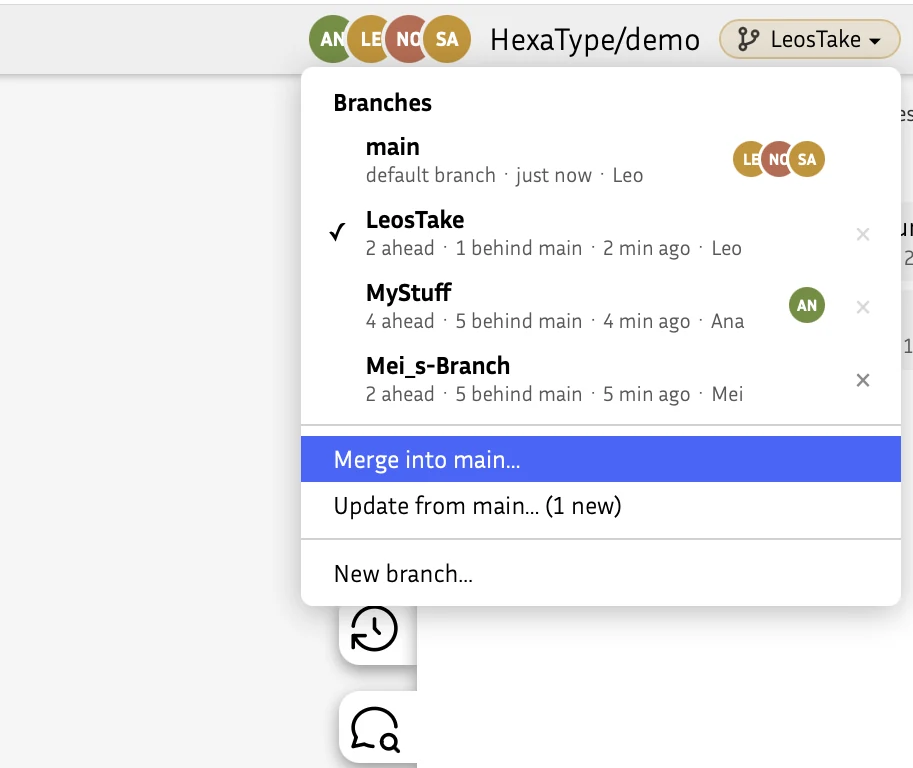
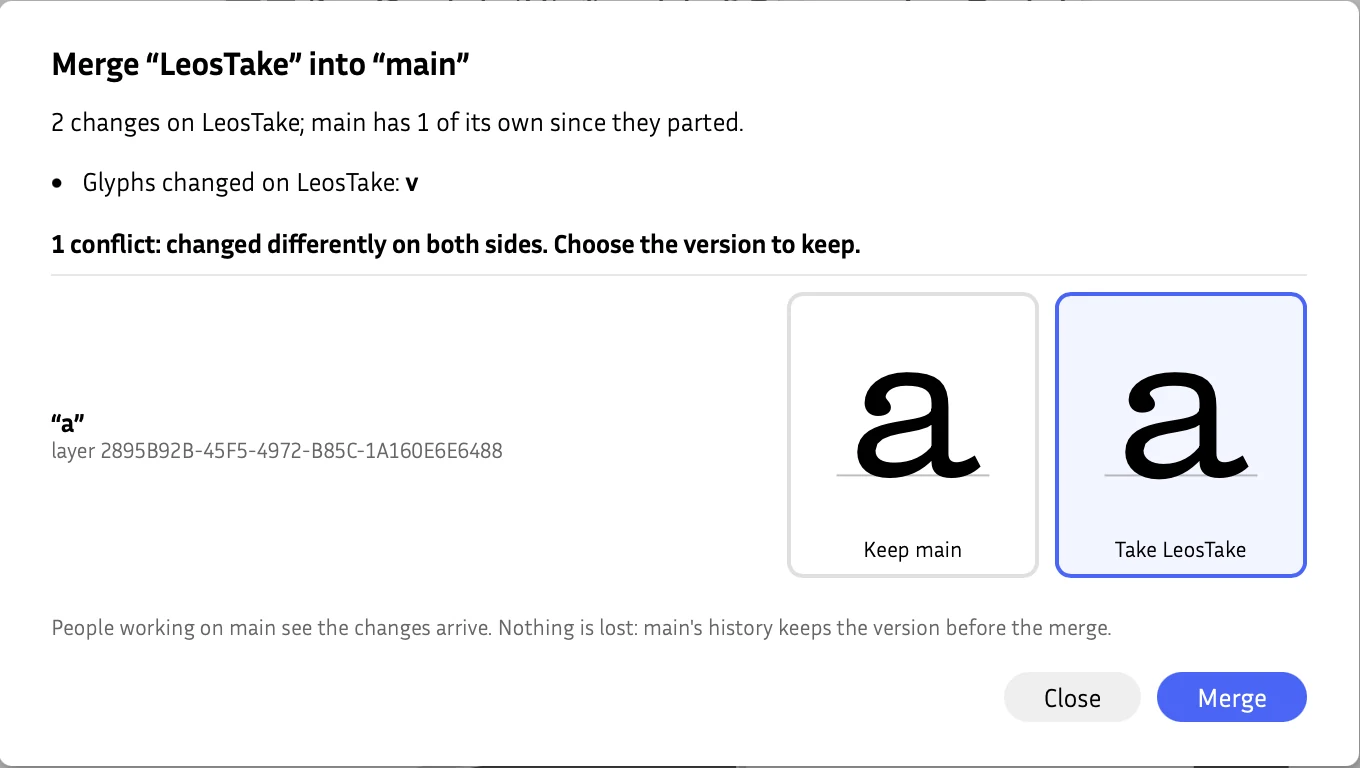
Start a branch from main or from a snapshot to try a bolder weight, new alternates or a spacing pass, and switch branches without leaving your glyph. When it works, merge it into main: Hive merges source by source, kerning pair by kerning pair, and draws real conflicts side by side so you pick the right drawing.

Why it matters. Designers explore in parallel without stepping on each other, and main stays clean for everyone else.

  • Ahead / behind main
  • Automatic merge per source
  • Deleted branches restorable
The branch menu: main, LeosTake, MyStuff and Mei_s-Branch, how far each is ahead or behind main, who is on it, and Merge into mainThe Merge LeosTake into main dialog: one conflict on a, both drawings side by side, Take LeosTake chosen

Comments & review

Review right on the glyph

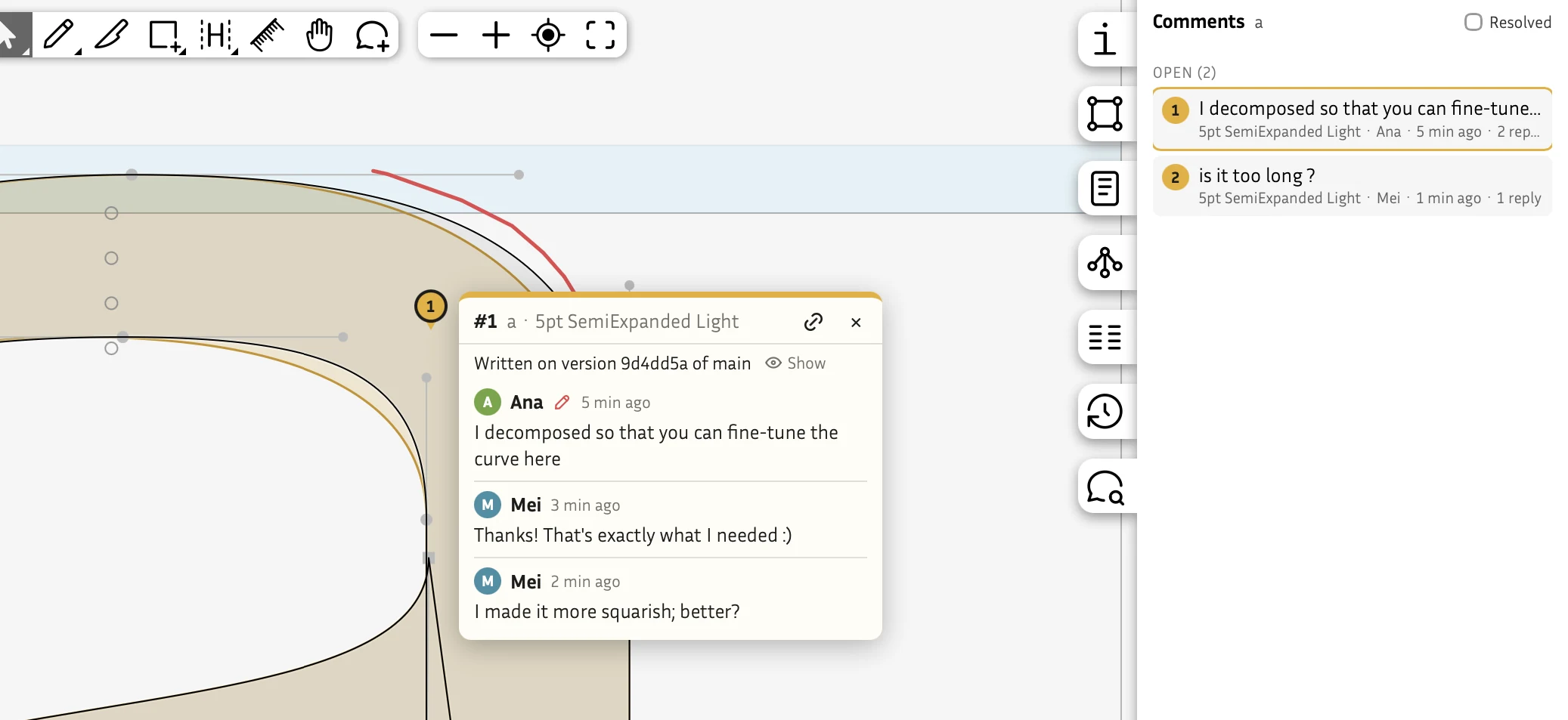
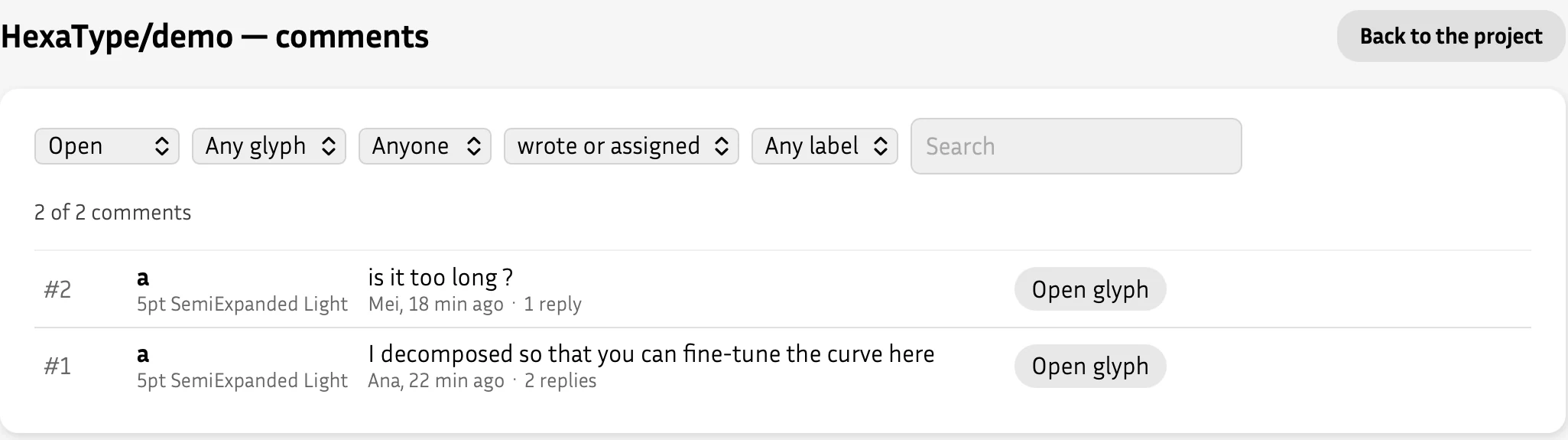
Pin a comment to a point of a glyph's source, discuss it in a thread, assign it, label it, resolve it. Sketch on the outline with a red pen, with a mouse or a stylus. Every comment of the project is listed on one page with filters, and opens the editor on the right glyph, source and point.

Why it matters. Feedback lands exactly where the problem is, no more screenshots in emails. And reviewers are free: invite your client or art director.

  • Post-its and red pen
  • Assign, label, resolve
  • Linked to the version commented
A comment pinned on the glyph a, with red pen strokes, a thread between Ana and Mei, and the Comments panelThe comments page of the project, with filters by state, glyph, person and label

Real-time collaboration

Draw together, each with the right role

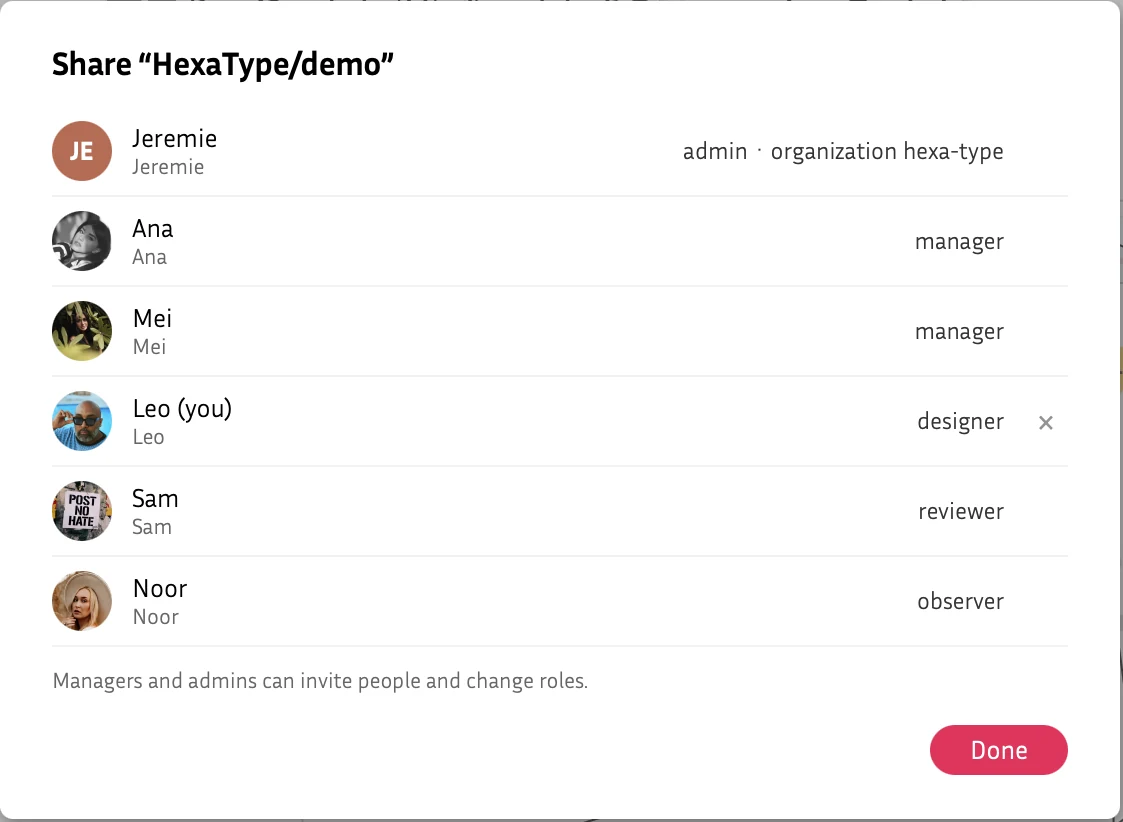
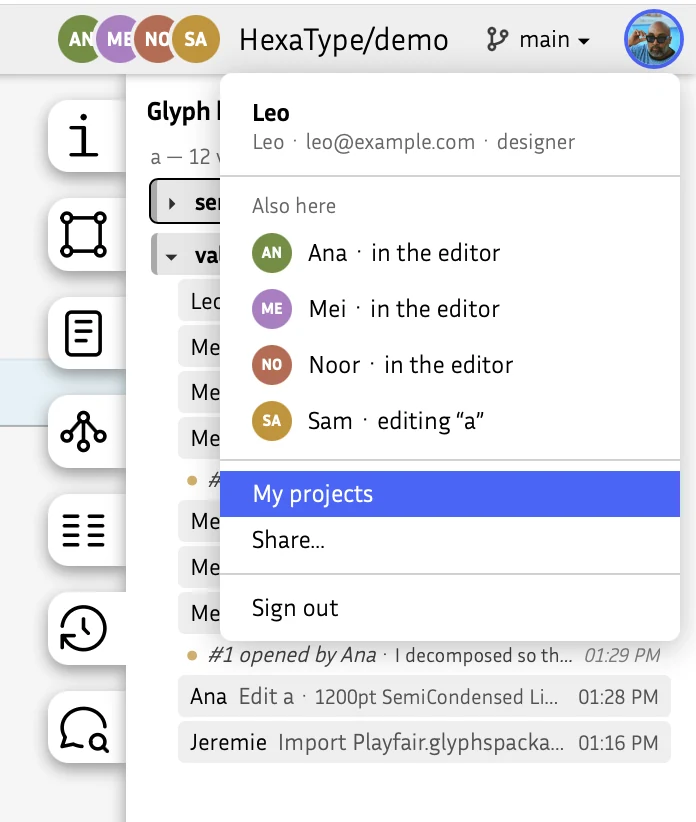
Everyone works on the same font at the same time and sees who is there. Share a project by username or email with a role: observer, reviewer, designer, manager or admin. Organizations have owners and members, and can keep their projects to their members.

Why it matters. The whole team, and your client, in one place, and everyone changes only what they are meant to.

  • Live presence
  • Five roles
  • Read-only for reviewers
The Share dialog: Ana and Mei managers, Leo designer, Sam reviewer, Noor observerThe user menu: Ana, Mei and Noor in the editor, Sam editing a

Import & download

Bring your fonts, take them anywhere

Start a project from any format Fontra reads: .designspace with its UFOs, .ufo, .glyphs, .glyphspackage, .fontra, or a compiled .ttf, .otf or .woff2. Import again later and it becomes a new version. Download the sources from any branch, or fonts built on the server the way Fontra Pak builds them.

Why it matters. No lock-in: Hive fits in with the tools and the pipeline you already have, in both directions.

  • .fontra · Designspace + UFO
  • .otf · .ttf · .woff2
  • Any branch
The Download panel: pick a branch, then .fontra, Designspace + UFOs, OpenType, TrueType or WebfontImport a font: replaces the font as a new version, the history before it stays

Git repositories

Keep your Git repository in step

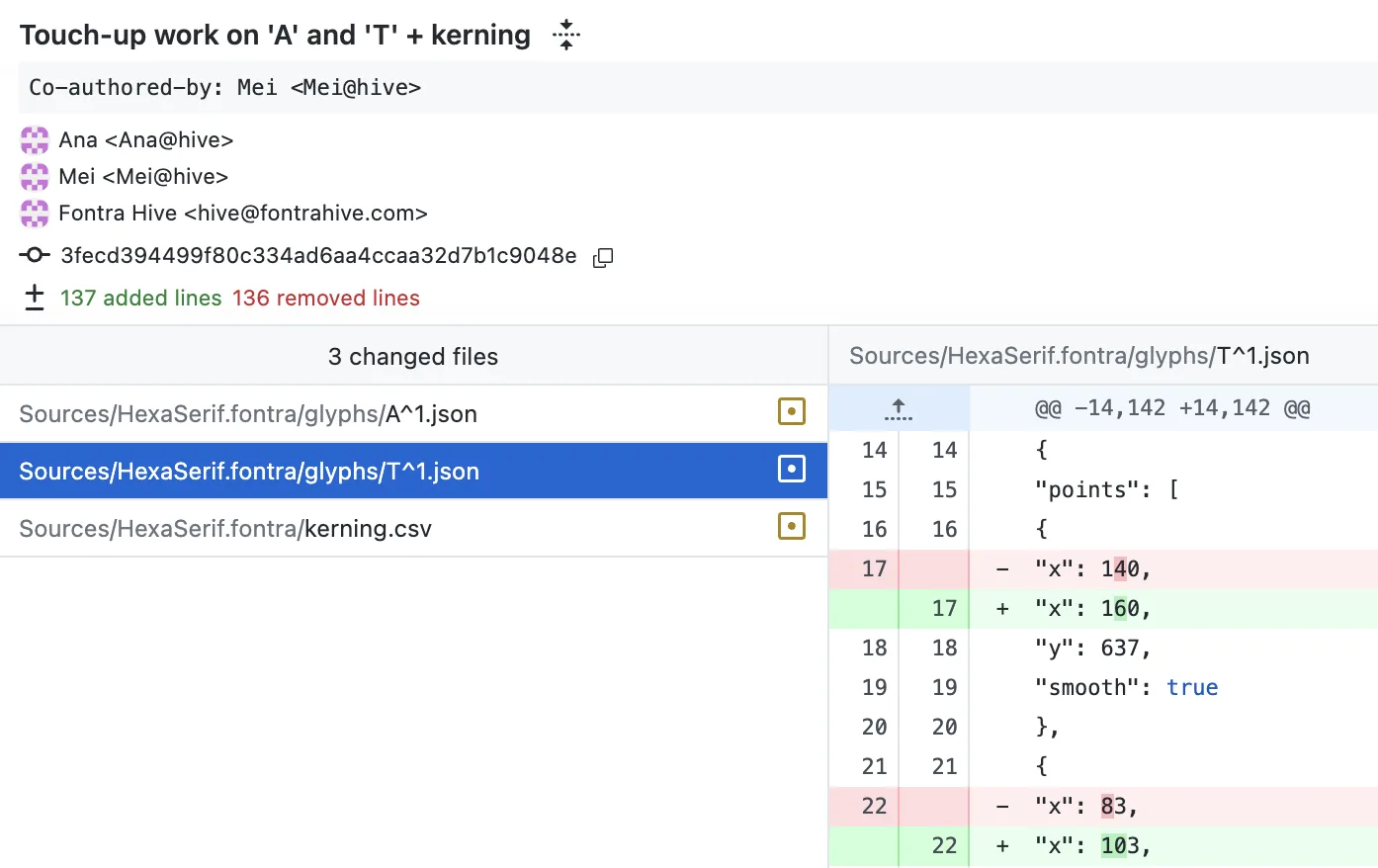
Connect a project to a GitHub repository, public or private, in two clicks with the Fontra Hive GitHub app. Hive brings in what others push, on an upstream branch you review and merge, and sends your team's work back as one clean commit, with everyone who drew it credited as co-author. .fontra is fully supported; UFO and designspace are in beta (glyphs and kerning).

Why it matters. Developers, build pipelines and font libraries keep working from the repository; designers stay in Hive.

  • Only the repositories you choose
  • Pushes arrive on their own
  • .fontra · UFO in beta

How it works →

The Git repository panel of a project connected to Uplus-Type/HexaSerif on GitHub: 3 files changed in Hive since the last sync, a commit message, Pull and Push to GitHubThe commit in the repository: Touch-up work on A and T plus kerning, by Ana with Mei as co-author, committed by Fontra Hive, three files changed, a glyph's points moved in the diff
Stored as gitEvery project is a complete .fontra package in its own git repository. The whole history, nothing locked in, and in step with GitHub if you like.
Hosted in EuropeServers in Paris, an encrypted backup every night in another EU country. Your fonts stay yours.
Built on FontraThe open-source, browser-based font editor, used as it is released.
Open plug-inThe Fontra Hive plug-in is open source (GPLv3), on GitHub.

More features to come. What you see here is only the start, and Hive grows with the teams who use it. Tell us what yours needs: info@uplustype.com.